

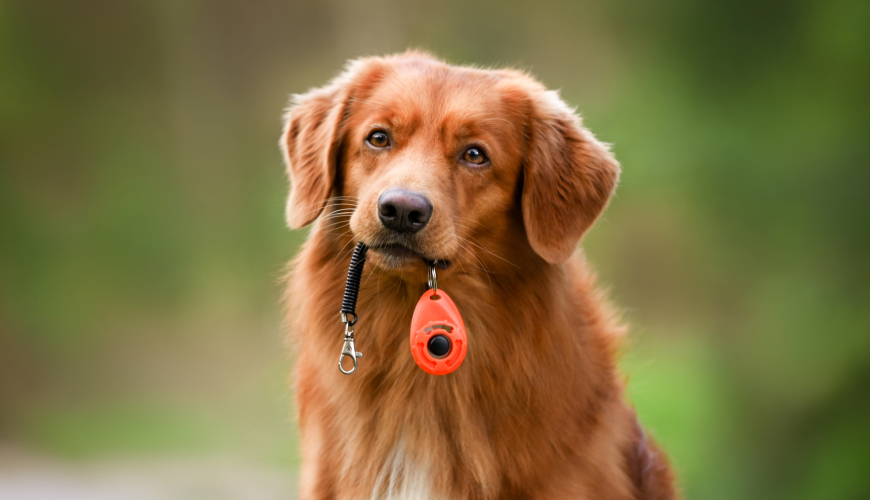
If you’re a pet parent, trainer, or enthusiast looking to build a stronger bond with your furry friend, then you’ve likely heard of clicker training. The CLICK Training Tool (commonly referred to as a “clicker”) is at the heart of this popular method. It’s simple, effective, and based on sound behavioral science. Whether you’re training a playful puppy, an older rescue dog, or even a curious cat, this small device can help you communicate more clearly and effectively with your pet.
In this blog, we’ll dive into what the CLICK Training Tool is, how it works, and why it’s such a powerful technique for pet training. We’ll also share practical tips to get started, common mistakes to avoid, and success stories from pet parents who’ve seen transformative results.
What Is the CLICK Training Tool?
The CLICK Training Tool is a small handheld device that makes a distinct “click” sound when pressed. While it might seem too simple to be effective, this tool leverages a concept from behavioral psychology known as operant conditioning. The clicker acts as a marker signal—a way to precisely communicate to your pet, “Yes! That’s exactly what I wanted you to do.”
The sound of the click is always followed by a reward—usually a treat. Over time, your pet learns to associate the click with doing something right and getting something good, which makes them more likely to repeat the behavior.
Why Use a CLICK Training Tool?
1. Precise Communication
One of the biggest challenges in pet training is timing. If you’re too late in praising or giving a treat, your pet might not connect the reward with the desired behavior. The clicker allows you to mark the exact moment your pet does something right, which speeds up learning and reduces confusion.
2. Positive Reinforcement
Unlike punishment-based training, clicker training is built on rewarding good behavior. This not only makes learning more enjoyable for your pet but also strengthens your bond with them. Happy pets learn faster and trust more deeply.
3. Universal Application
The CLICK Training Tool isn’t just for dogs. It’s been successfully used with cats, birds, rabbits, horses, and even fish! Any animal that can hear the click and receive a reward can be clicker-trained.
4. Boosts Confidence
Because this method involves shaping behavior gradually and positively, pets become more confident and eager to try new things. This is especially helpful for shy or anxious animals.
How to Use the CLICK Training Tool
Step 1: Charging the Clicker
Before using the clicker to train behaviors, you need to help your pet associate the click with a reward. This process is called “charging” the clicker.
- Click → Treat
- Repeat this 10–15 times in a quiet environment.
- Your pet will quickly start looking for a treat every time they hear the click.
Step 2: Marking Behavior
Once the clicker is charged, you can begin using it to shape behavior.
- Ask for or wait for a behavior (e.g., sitting).
- The moment your pet’s bottom hits the ground—click!
- Immediately follow with a treat.
- Repeat until the behavior becomes consistent.
Step 3: Adding Cues
After your pet consistently performs the behavior when prompted, add a verbal cue like “sit” or “come.” Over time, your pet will respond to the cue alone, but the clicker remains a tool to reinforce progress or refine behavior.
Tips for Success
1. Timing Is Everything
Click as the behavior is happening, not after. For example, click as your dog’s bottom touches the floor for a sit—not after they stand up again.
2. Keep Sessions Short and Fun
5–10 minute sessions a few times a day are ideal. End on a high note to keep your pet engaged and looking forward to the next session.
3. Use High-Value Rewards
Find treats your pet really loves and save them for training sessions. For picky eaters, experiment with small bits of cheese, boiled chicken, or commercial training treats.
4. Be Consistent
Click every time your pet performs the desired behavior during training. Consistency helps your pet learn faster and reduces mixed signals.
5. Fade the Clicker Gradually
Once your pet has mastered a behavior, you don’t need to use the clicker forever. Gradually fade it out and replace it with praise or affection.
Common Mistakes to Avoid
- Clicking too late: This can confuse your pet about what behavior you’re rewarding.
- Clicking without rewarding: Every click must be followed by a treat, especially in the early stages.
- Overusing the clicker: Don’t click multiple times in a row. One behavior = one click = one treat.
- Using the clicker as a command: The clicker marks behavior; it doesn’t tell your pet what to do.
Real-Life Success Stories
Luna the Rescue Dog
Luna was a 3-year-old rescue with fear-based reactivity. Using the CLICK Training Tool, her guardian taught her to focus and respond to cues rather than react. Within months, Luna could calmly walk past other dogs and strangers.
Whiskers the Curious Cat
Whiskers’ owner used clicker training to teach him to come when called, high-five, and even jump through a hoop! Training sessions became their daily bonding time, and Whiskers now eagerly participates in new challenges.
Bella the Bunny
Clicker training helped Bella the rabbit learn to use a litter box and come to her name. Her human companion says it made her much easier to handle and greatly improved their relationship.
The CLICK Training Tool is more than just a gadget—it’s a gateway to better communication, mutual respect, and deeper companionship with your pet. It’s scientifically sound, easy to use, and incredibly effective across species. Whether you’re addressing behavior problems or teaching fun tricks, clicker training can transform the way you and your pet learn together.
So why not give it a try? With just a few minutes a day and a bit of consistency, the CLICK Training Tool could be the best investment you make in your pet’s happiness and development.
Happy clicking!
